Deep AI Integration
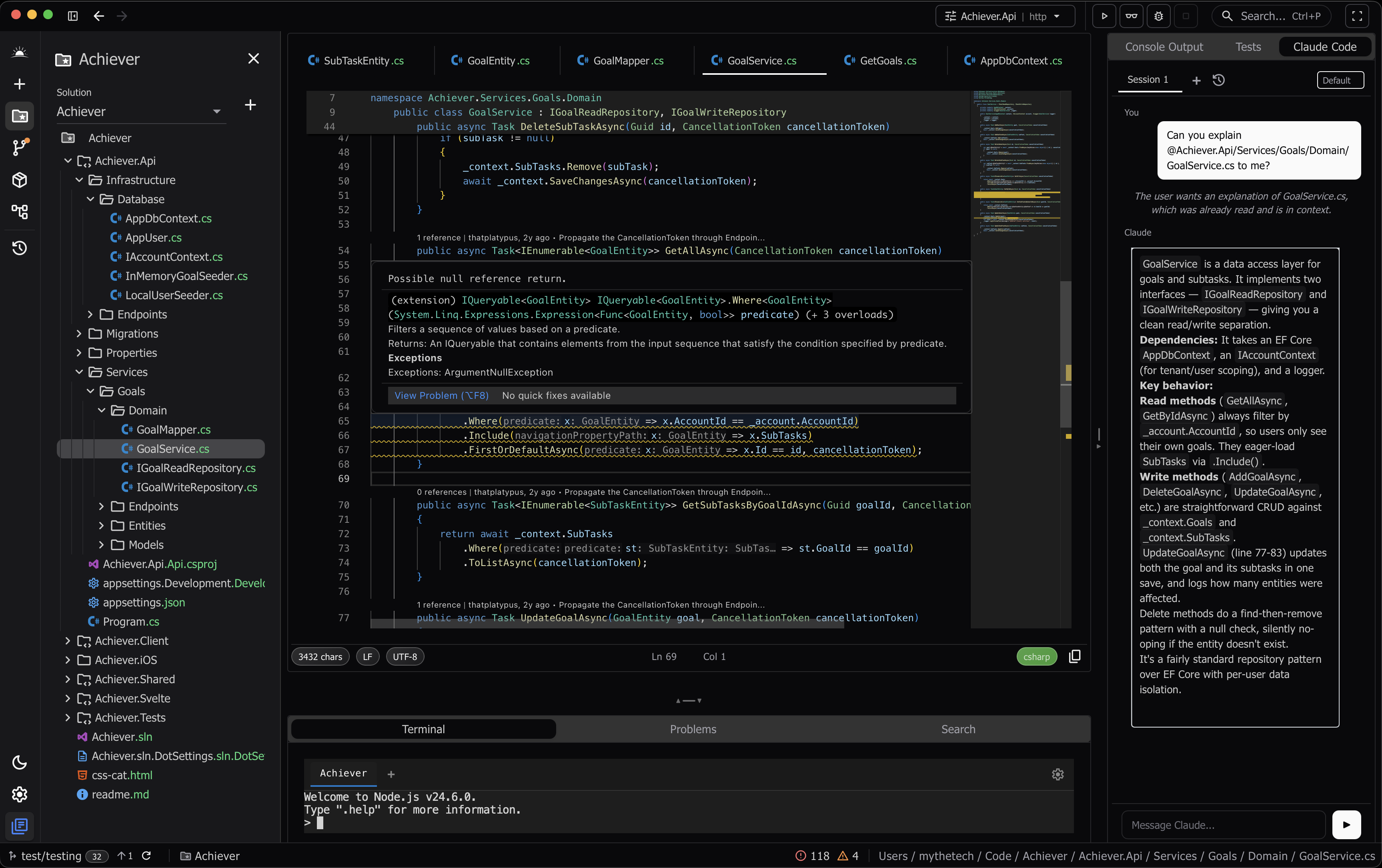
Horizon isn't just another editor with a chat window bolted on. Your application functions are exposed as MCP servers and native tool calls, giving AI agents direct access to Roslyn's semantic analysis.
First class Claude Code support
27+ MCP tools exposed to AI agents
Roslyn semantic data via tool calls
AI understands code structure, not just text
Intelligent Code Analysis
Powered by Roslyn with Monaco as the editor foundation. Every popup, completion, and hint is custom-styled to match the app aesthetic with tokenized code display.
Roslyn-powered completions with custom tokenized hints
CodeLens with reference counts and git blame
Refactoring and code actions
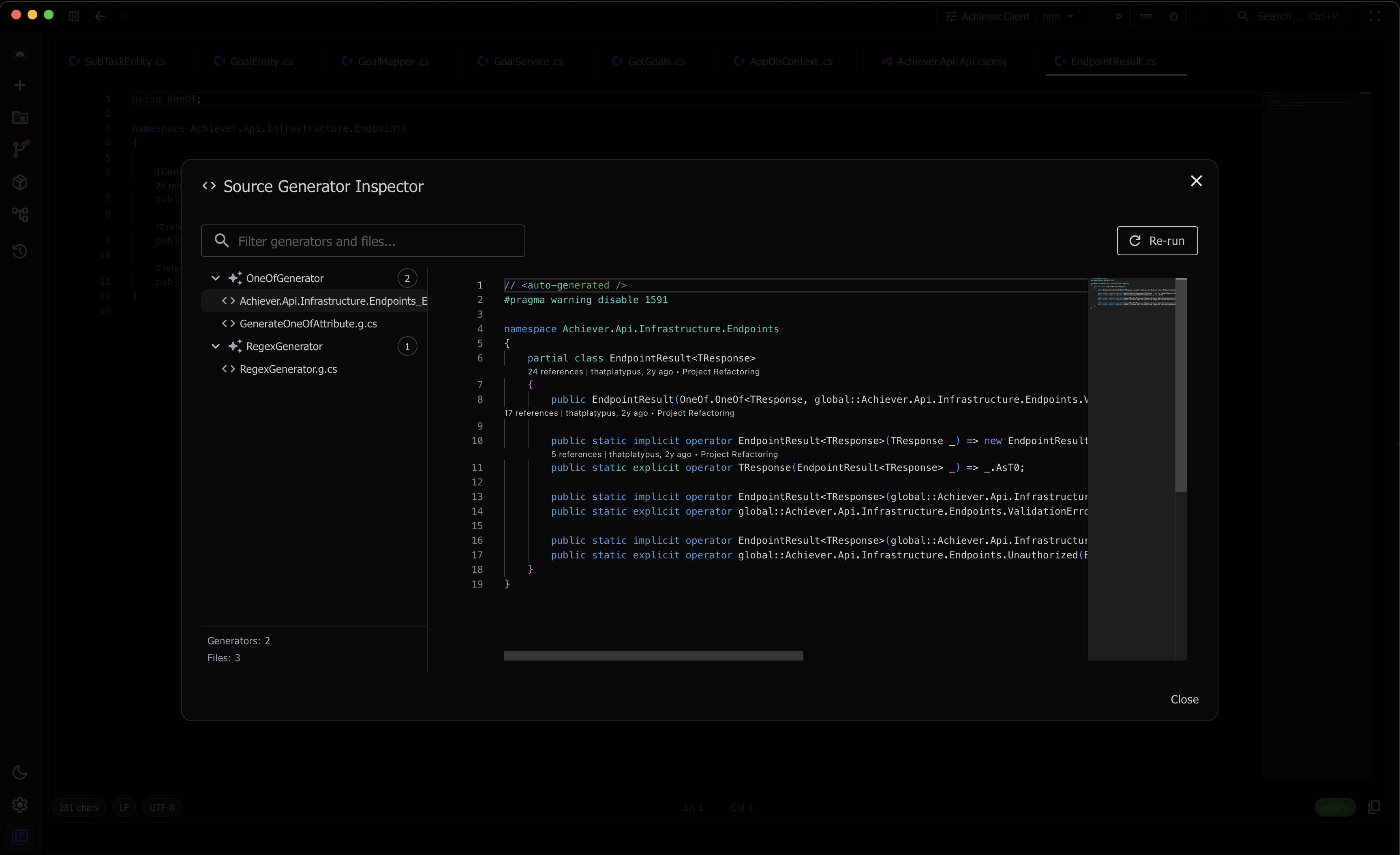
Source generator inspector with diagnostics
Custom .NET Debugger
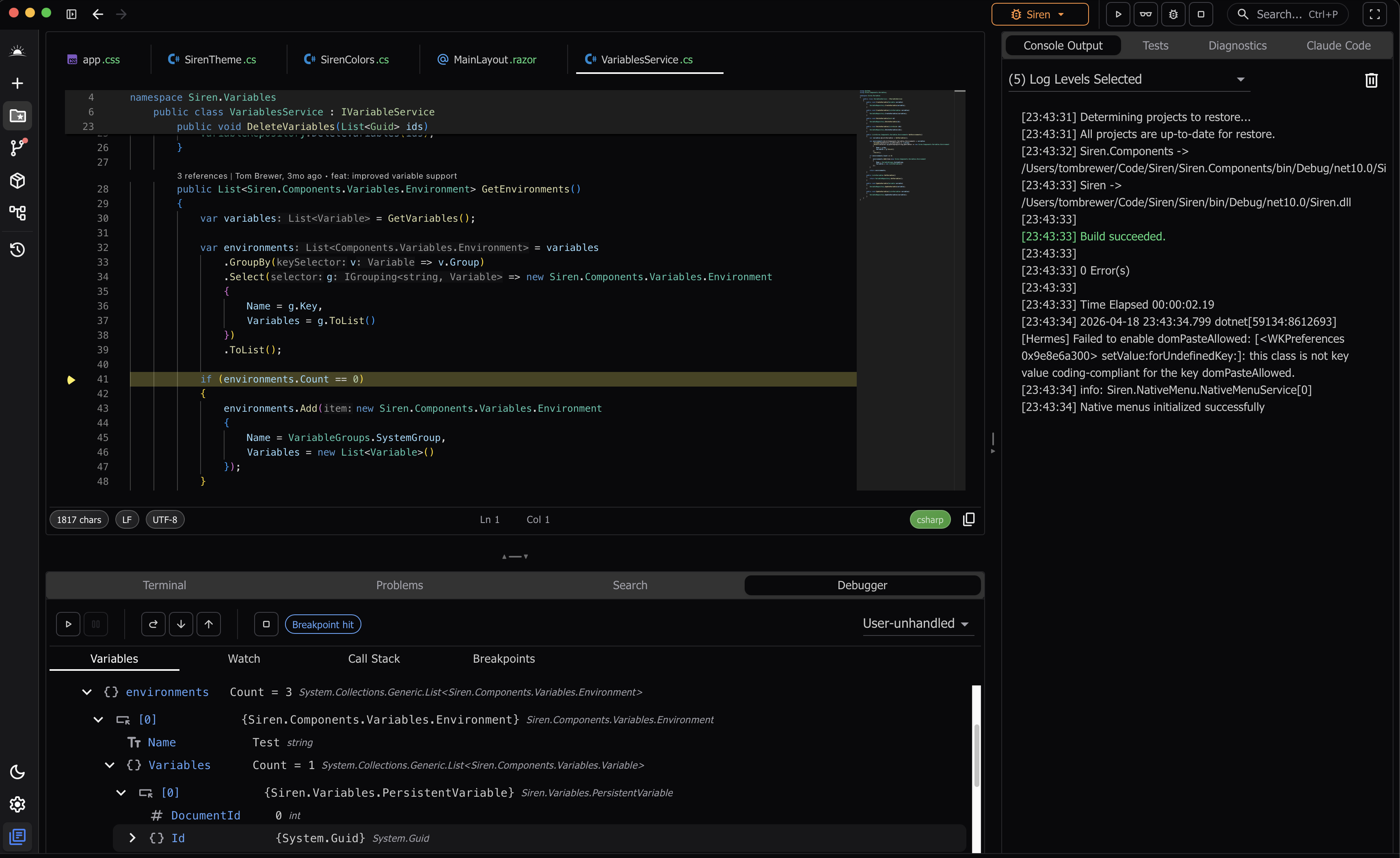
A purpose-built debugger designed for .NET, with IL-based expression evaluation and async-aware stepping.
Conditional breakpoints with hit counts
Full call stack with source navigation
Variable inspection and watch expressions
Custom IL expression compiler and interpreter
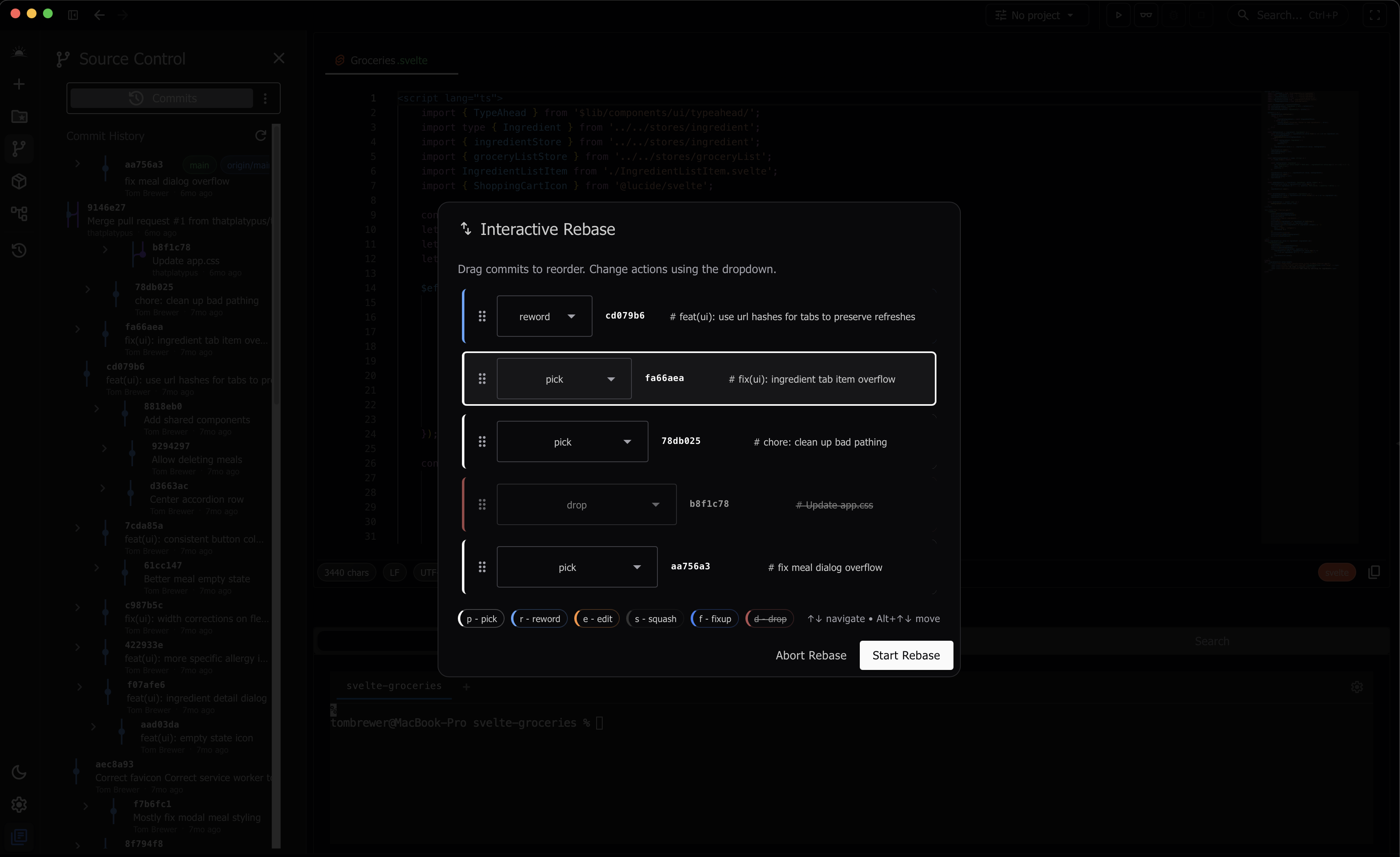
Rethought Developer Tools
Every tool is designed to be genuinely useful, not just present. We challenged the defaults and gave things room to breathe and be functional.
Interactive Rebase - drag commits, pick/squash/fixup
Solution statistics - files, folders, LoC at a glance
Visual commit history timeline
Every element intentionally designed
Everything You Need
A complete toolkit for .NET development
Feature-Rich Editor
Multi-tab, split panes, diff viewer, inline git annotations, and symbol usage tracking
Integrated Terminal
GPU-accelerated terminal with WebGL rendering
NuGet Management
Package search with license classification and change detection
Test Runner
xUnit, NUnit, and MSTest discovery and execution
Build & Run
Launch profiles, hot reload, and build output
Source Generators
Inspect and debug source generators with diagnostics
Claude Code Support
First-class Claude Code integration with built-in MCP server
Diagnostics
EventPipe profiling, GC timeline, and heap snapshots
Frequently Asked Questions
Everything you need to know about Horizon
What is Horizon?
Horizon is a modern cross-platform C# IDE built with Blazor and Hermes. It features Roslyn-powered IntelliSense, a custom .NET debugger with IL-based expression evaluation, and deep AI integration through MCP servers and native tool calls.
Is Horizon free?
Horizon is free during the public beta. Pricing for the full release has not been announced yet. Download it today and help shape the future of .NET development.
What platforms does Horizon support?
Horizon is available as a native desktop application for Windows 10+, macOS 11+, and Linux. Built with Hermes for native desktop performance with signed and notarized executables.
How does the AI integration work?
Horizon ships with a built-in MCP server that exposes 27+ tools to AI agents, giving them direct access to Roslyn's semantic analysis. AI can reason about your code's types, references, and relationships - not just text in files. Claude Code is supported as a first-class integration.
What languages does Horizon support?
Horizon provides full C# and Razor support via Roslyn, plus TypeScript and JavaScript support via LSP. The editor also provides syntax highlighting for JSON, HTML, CSS, and more. Additional language support is planned for future releases.
When will the full release be available?
Horizon is currently in public beta. We're actively developing new features and refining the experience based on user feedback. Download the beta today and be part of shaping the product.