How It Works
Connect
Add your database connections with health monitoring
Query
Write and execute SQL with formatting and history
Export
Export results to CSV, Excel, JSON, or SQL
Everything You Need
A complete toolkit for database development
Multi-Database
PostgreSQL, SQL Server, MySQL, SQLite, LiteDB
Query History
Track and replay previous queries
Data Export
CSV, Excel, JSON, and SQL formats
Light & Dark Mode
Choose your preferred theme
Keyboard Shortcuts
Ctrl+Enter to run, and more
Inline Editing
Edit data directly with transaction support
Powerful Query Editor
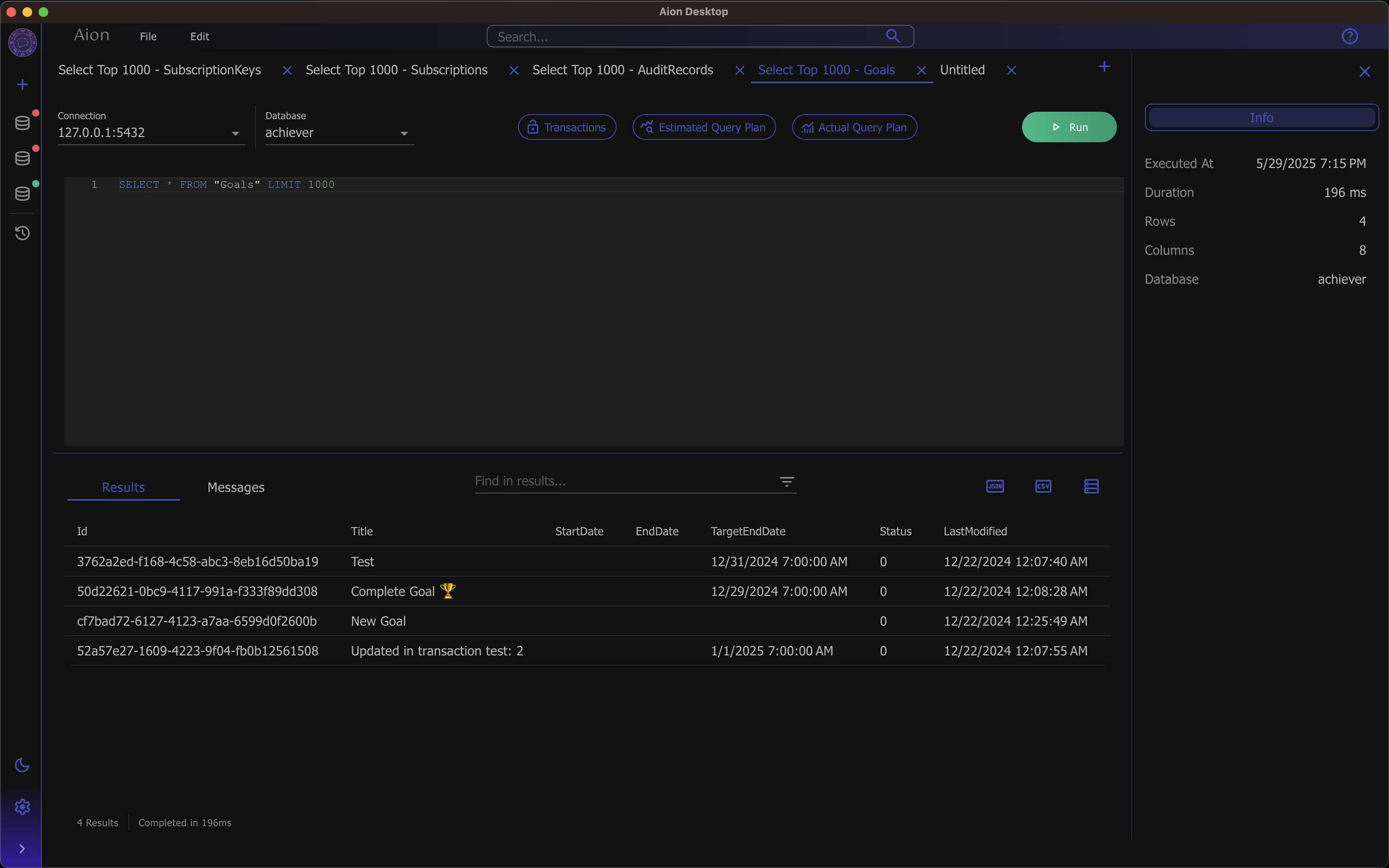
Write and execute SQL across multiple tabs with automatic formatting, execution timing, and full query history. Navigate your databases with an interactive schema browser that lets you drill into tables, columns, and relationships.
Multi-tab query execution
Automatic SQL formatting
Keyboard shortcuts (Ctrl+Enter to run)
Hierarchical schema browser
Interactive Plan Diagrams
Visualize how your database executes queries
Query Plan Visualization
Understand how your queries perform with estimated and actual execution plan visualization. Aion renders query plans as interactive diagrams so you can identify bottlenecks and optimize your SQL.
Estimated execution plans
Actual execution plans
Interactive node diagrams
Smart Data Viewing
Explore query results with a powerful data grid featuring column filtering, sorting, and resizing. Aion auto-detects JSON columns and lets you view them as formatted JSON or interactive tree views. Click through foreign key relationships to navigate your data.
JSON auto-detection with tree and formatted views
Foreign key click-through navigation
Column filtering and sorting
Copy cells, rows, or full results to clipboard
Rich Result Grid
Filter, sort, and explore your data visually
Change Tracking
Review all pending changes before committing
Inline Data Editing
Edit table data directly in the result grid. Toggle edit mode to insert, update, and delete rows with full change tracking. Review all pending changes in a dedicated panel before applying them with transaction support.
Edit mode with per-cell change tracking
Insert, update, and delete rows
Pending changes review panel
Transaction support with commit and rollback
Why Choose Aion?
See how Aion compares to other SQL clients
| Feature | Aion | DBeaver | Azure Data Studio |
|---|---|---|---|
| Free & Open Source | Community |
||
| Cross-Platform Desktop | |||
| Inline Data Editing | |||
| Query Plan Visualization | |||
| Multi-Format Export | CSV, Excel, JSON, SQL |
Limited | |
| Lightweight | |||
| No Account Required |
Frequently Asked Questions
Everything you need to know about Aion
What databases does Aion support?
Aion supports PostgreSQL, SQL Server, MySQL, SQLite, and LiteDB. You can connect to multiple databases simultaneously and switch between them using the tab-based interface.
Is Aion really free?
Yes! Aion is 100% free and open source under the MIT license. There are no premium tiers, feature gates, or hidden costs. Every feature is available to everyone.
What platforms does Aion run on?
Aion is available as a native desktop application for Windows, macOS, and Linux. All builds are signed for your security. Download the version for your platform and start querying immediately.
Can I edit data directly in Aion?
Yes! Aion supports inline data editing with full change tracking. Toggle edit mode, make your changes (inserts, updates, deletes), review pending changes in a dedicated panel, and apply them with transaction support.
Can I contribute to Aion?
Absolutely! Aion is open source on GitHub. We welcome contributions of all kinds — bug reports, feature requests, documentation improvements, and code contributions.